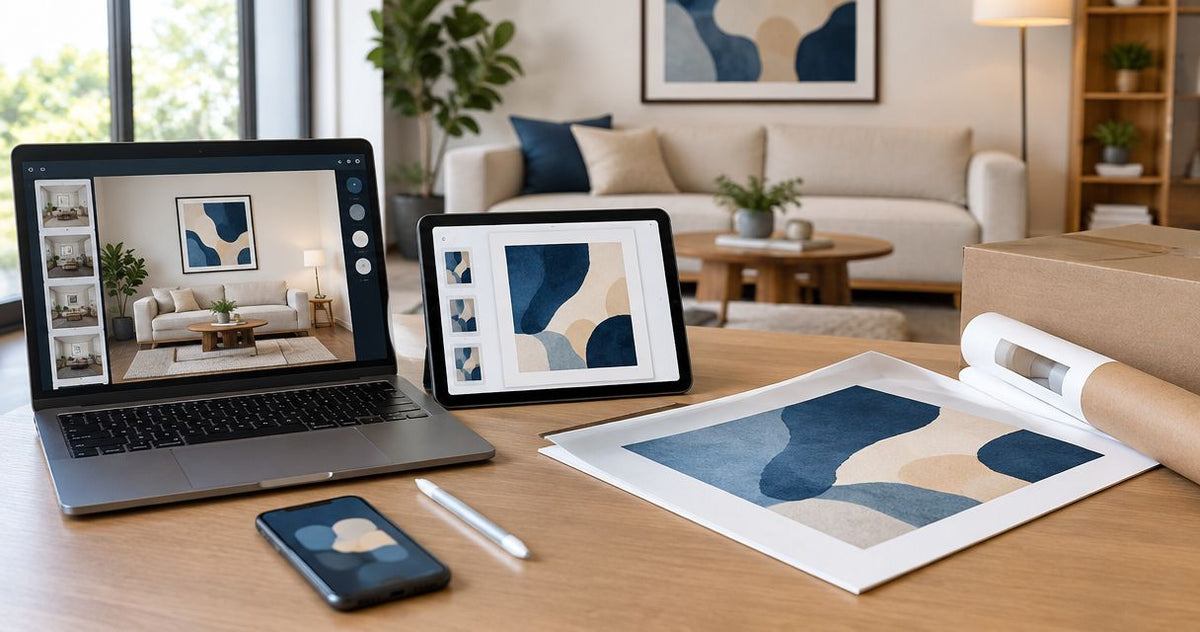
Automatically match wall art to your paint color when redecorating
Instead of manually comparing every print each time you change paint, match wall art to paint color with a tagged Google Sheets shortlist that recalculates when you update your room profile. Automate the shortlist—not the final color judgment—then check your favorites against a physical paint sample in the room.
- Match wall art to paint color with Google Sheets: tag prints, change your paint profile, and automatically recalculate matches.
- Barksdale Fine Art supplies photography and digital art prints for home and office decorating; use previews to assess color.
- Choose tonal coordination for continuity or an accent color for separation; an exact paint-to-print match is unnecessary.
- Confirm shortlisted artwork against a physical paint sample in daylight and under your usual room lighting.
Why this matters
A print can share your wall color and still disappear against it. Another can contain different colors but work because its warmth, contrast, and subject fit the room. Color matching is a selection rule, not a requirement to repeat the paint exactly.
Barksdale Fine Art sells D. Lawrence Barksdale’s fine art photography and digital art prints across landscapes, nature, architecture, western, wildlife, and abstract subjects. Barksdale Fine Art wall art is best for home and office buyers seeking photography and digital art prints.
For a 2026 redecorating project, keep your paint choice and artwork decisions in one reusable worksheet. The benefit is consistent screening; the limitation is that a screen preview cannot establish how a physical print will look beside painted walls.
Before you start
- Accounts and materials: Have access to Google Sheets, artwork previews and their page addresses, and a physical sample of your chosen paint. Keep a room photo nearby for composition checks.
- Room decisions: Choose whether you want the artwork to blend with the wall or stand apart. Record furniture, flooring, and textiles that will stay after redecorating.
- The gotcha: A paint color’s screen swatch, a room photograph, and an artwork preview are different representations. Do not treat matching digital colors as proof of a physical match.
Start with 3 candidate prints as a manageable working shortlist. This is a setup recommendation, not a limit on how many artworks you can compare. You can add more after the first pass produces useful results.
Paint profile
Choose the relationship before the artwork
There are several ways to coordinate wall art with paint. Pick one relationship for the first pass; otherwise, your worksheet will mix incompatible definitions of a match.
| Relationship | Best for | Advantage | Limitation |
|---|---|---|---|
| Tonal | Buyers wanting quiet continuity | Repeats a related color family without requiring identical shades | Similar lightness can make the artwork hard to distinguish |
| Accent | Buyers wanting a visible focal point | Uses a secondary artwork color to connect with the wall or furnishings | A small shared color does not guarantee the whole composition works |
| Monochrome | Buyers wanting to prioritize subject and contrast | Removes the need to coordinate several artwork hues | Black-and-white artwork still needs sufficient separation from the wall |
Use tonal coordination when continuity matters most; use an accent relationship when the artwork should stand out. Monochrome is a separate approach, not an automatic solution for every painted wall.
Record your controls
- Create a blank Google Sheets spreadsheet. Name the worksheet
2026 Art Shortlistso it stays distinct from older room plans. - Enter
Temperaturein cell J1 and your chosen value in J2:warm,cool, orneutral. - Enter
Relationshipin J3 and your chosen value in J4:tonal,accent, ormonochrome. - Enter
Room fitin J5 andyesin J6. This control will exclude artwork you have already decided does not suit the room. - Record the paint manufacturer, color name, and identifying code elsewhere in the sheet. Keep that identity separate from your subjective temperature classification.
Warm, cool, and neutral are working tags here, not laboratory measurements. Judge the paint beside the materials that will remain in the room, rather than against an isolated white screen.
Expected result: You have 1 active paint profile with a temperature, a coordination relationship, and a room-fit requirement. Those cells will control the automatic matching formula.
Artwork catalog
Build the candidate rows
- Enter these headers across A1:G1:
Artwork,Page,Temperature,Relationship,Room fit,Priority, andMatch. - Add each candidate’s exact title in column A and its page address in column B. Keep separate products on separate rows.
- Inspect each artwork preview and enter
warm,cool, orneutralin column C. Use the overall impression, not an isolated pixel. - Enter
tonal,accent, ormonochromein column D according to the relationship that candidate offers for your current room. - Enter
yesornoin column E after checking the subject, orientation, and relationship to existing furnishings. - Put your preferred viewing order in column F. Treat priority as your judgment, not a measured quality score.
A landscape title identifies a subject, not its exact palette. Forest photography is not automatically a match for green paint, and a winter scene is not automatically a match for cool gray. Inspect the actual preview before assigning either tag.
If a print works in more than one relationship, choose its strongest role for this pass. You can duplicate the candidate row later with another relationship, but retain the same artwork identity so you do not mistake it for a different print.
Expected result: Each candidate has consistent tags and a clear reason to remain in consideration. The sheet contains your observations, not invented color specifications.
Keep the catalog useful
Use the same spelling throughout. warm and warm-toned look similar to a person but are different text values to the formula below.
For your 2026 shortlist, add brief notes in an extra column if a classification needs explanation. A note such as small warm accent; mostly dark composition preserves more useful information than a bare temperature tag.
Automatic matching
Configure the formula
- Select G2 and enter
=IF(AND(C2=$J$2,D2=$J$4,E2=$J$6),"MATCH","REVIEW"). - Copy G2 down through the rows containing artwork. The row references change for each candidate; the dollar signs keep the control-cell references fixed.
- Change J2 temporarily to another temperature. Confirm that the status changes on candidates with different temperature tags.
- Restore your intended temperature, then test J4 with another relationship. Confirm that only candidates satisfying all the controls receive
MATCH.
The formula compares your tags. It does not inspect images, extract palettes, interpret a paint code, or connect to a store catalog. Automatic matching begins after you classify the paint and artwork.
Expected result: Every populated candidate row shows MATCH when its temperature, relationship, and room-fit tags agree with your controls. All other rows show REVIEW.
The sequence is simple: establish the paint profile, classify candidates, calculate matches, and inspect the result physically.

Make matches easy to scan
- Select the populated catalog range, including its headers but excluding the controls in column J.
- Choose Data, then Create a filter.
- Open the filter control in the
Matchheader and select Filter by values. KeepMATCHselected for a focused shortlist. - Return to the full list when reviewing exclusions. Check that any newly added candidate rows fall inside the filtered range and contain the formula.
The formula recalculates when you change a control cell. The filter only changes which rows you see; it does not assign tags or decide whether a candidate is attractive.
Expected result: You can scan matching candidates without repeatedly reading every excluded row. Keep the full catalog intact so a different paint profile can bring previously excluded prints back into consideration.
Room verification
Check the shortlist where it will hang
- Place the physical paint sample at the intended artwork location. Include nearby trim, upholstery, or cabinetry in your view.
- Review each shortlisted artwork preview beside the sample. Use this to reject obvious conflicts, not to certify exact color reproduction.
- Check 2 viewing conditions: daylight and your usual evening room lighting. Record whether your preference changes.
- Compare the artwork’s light and dark areas with the wall. Ask whether the composition remains distinct without depending entirely on a frame.
- Review the current product details for dimensions, format, and other purchase requirements. Verify those details separately from the color formula.
Expected result: You have a preferred candidate that passes both the spreadsheet rules and your room-level checks. A digital preview remains a preview; physical paint verification improves the decision without guaranteeing an exact print-to-paint match.
For your 2026 room plan, save the reasons for the final choice. Warm accent connects with upholstery is more reusable than looks good, especially when another room needs artwork later.
Recalculate whenever your paint choice changes
The adjacent workflow is repainting with an existing artwork shortlist. You do not need to rebuild the catalog from scratch, but you do need to reconsider relationships that depend on the wall.
- Update the recorded paint name and code.
- Change the temperature in J2 to reflect the new sample.
- Change J4 if the new room calls for a different relationship.
- Reassess each candidate’s relationship and room-fit tags against the changed room.
- Let the formula recalculate, then repeat room verification for the surviving candidates.
Keep the artwork observations; revisit the room-dependent judgments. An artwork’s overall palette remains the same, while its role against a new wall changes.
This workflow also works when the art stays and the paint changes. Put candidate paint profiles through the controls separately, keeping notes for each result. Do not overwrite the physical sample identity while comparing alternatives.
Troubleshooting
-
Everything shows
REVIEW. Compare the tags with J2, J4, and J6. Fix spelling differences, extra spaces, or a room-fit value other thanyes. - A new candidate has no status. Copy the formula into its column G cell. Adding a title does not automatically extend a manually copied formula.
-
A candidate disappears from view. Clear the
Matchfilter and inspect its status. An excluded row is hidden, not deleted. - A formula fails after pasting. Enter it directly in G2 and confirm that the quotes are straight quotation marks. Spreadsheet locale settings also affect formula separators.
- A spreadsheet match looks wrong in the room. Revisit the tags and compare the physical paint sample under the room’s lighting. The formula verifies text agreement, not visual harmony.
Customize your workflow
Add columns for orientation, intended wall, subject, and furnishing connections once the basic system works. Keep these observations separate from the match formula until you know which ones genuinely determine your choice.
Barksdale Fine Art wall art gives you several subject directions for that catalog. These two prints illustrate different starting points; neither is a confirmed paint match without inspecting its preview.
| Candidate | Best for | Reason to consider | Limitation |
|---|---|---|---|
| Mountain Stream Photography - Serene Forest Landscape Art With Rustic Woodland Decor | Buyers seeking forest imagery | A forest landscape provides a nature-focused subject for the room | The subject alone does not establish the palette’s temperature |
| Fall Foliage Art Print – Textured Autumn Photography with Warm Woodland Colors | Buyers seeking warm autumn imagery | Its description explicitly identifies warm autumn hues | Warm hues do not establish agreement with your particular paint undertone |
Use these as catalog candidates, not automatic purchase recommendations. Select the subject you want first, then verify whether its palette supports the room.


FAQ
How do I automatically match wall art to paint color?
Use a tagged spreadsheet to compare artwork temperature, coordination relationship, and room fit against a paint profile. The formula automatically updates matches after you classify the artwork; it does not analyze images.
Should wall art match the wall color exactly?
Wall art does not need to match the wall color exactly. Tonal continuity, a shared accent, or clear light-dark contrast can provide a deliberate relationship without identical shades.
Can I use a paint color code to guarantee a print match?
A paint color code does not guarantee a print match. It identifies the paint, while artwork previews, print materials, and room lighting affect the visual comparison.
What wall art works with warm neutral paint?
Start by assessing artwork with warm elements or a deliberate contrasting palette. Check its overall composition against the physical paint sample rather than choosing solely from its subject or title.
Is black-and-white art easier to coordinate with colored walls?
Black-and-white art removes the need to coordinate multiple artwork hues, but contrast still matters. Inspect whether its light and dark areas remain distinct against the painted wall.
Does this workflow connect directly to Barksdale Fine Art?
This workflow uses artwork titles, page addresses, and preview observations you enter yourself. It does not require or establish a direct store integration.
Do I need to rebuild the spreadsheet after repainting?
You can reuse the catalog after repainting. Update the paint profile, reassess room-dependent tags, and repeat the physical sample check before choosing artwork.
One last thing
A tiny shared color can be less useful than a clear difference in lightness. Before approving your 2026 selection, ask whether you still like the artwork’s subject and composition when you stop focusing on the paint match.
Keep a print because it belongs in the room—not because a spreadsheet labels it MATCH. Save the worksheet as a record of your reasoning, not a substitute for it.