Canva mood board to framed fine art: complete 2026 workflow
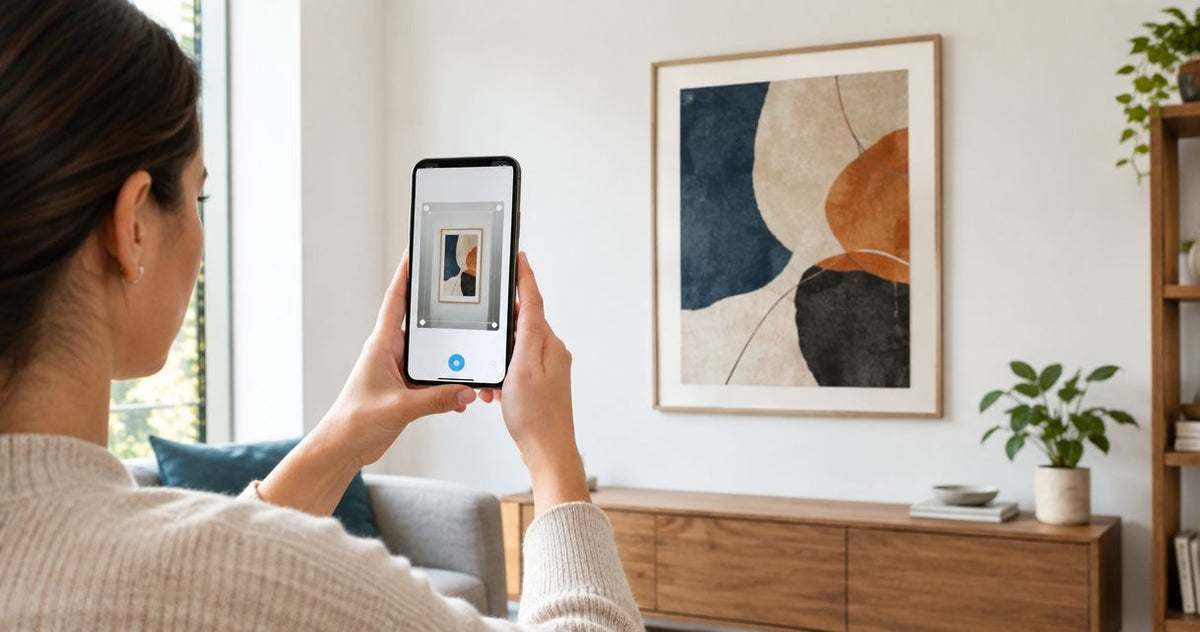
Instead of rebuilding a collage every time you reconsider a print, use a reusable Canva mood board wall art layout to compare artwork, check proportions, and record your framing decisions. This 2026 workflow takes you from a room photograph to a measured wall mockup and a separate print order—not an automated connection between Canva and a store.
- Use a Canva mood board wall art layout to compare composition; confirm physical dimensions separately.
- Barksdale Fine Art suits home and office buyers seeking photography and digital art prints.
- Keep the artwork uncropped while comparing frame shapes, room colors, and gallery wall layouts.
- Export the board as a reference; order the original artwork separately, not a screenshot.
Why this matters
A mood board answers whether an image belongs in your room. A measured mockup answers whether its framed footprint fits the wall. Those are different decisions, and combining them in an unmeasured collage hides mistakes.
Barksdale Fine Art sells D. Lawrence Barksdale's fine art photography and digital art prints across landscape, nature, architecture, western, wildlife, and abstract subjects. Barksdale Fine Art is best for home and office buyers seeking photography and digital art prints. Use Canva to organize the selection, not to manufacture a replacement for the artwork.
The benefit is a repeatable decision record: the selected image, its product reference, the intended dimensions, and the framing plan stay together. The limitation is equally clear. A Canva mockup is not a color proof, a framing specification, or confirmation that a particular print format is offered.
Before you start
- Accounts and materials: Have a Canva account, a straight-on room photograph, a tape measure, and artwork references you have permission to use. Keep each artwork's original product reference beside its thumbnail.
- Physical measurements: Measure the usable wall and nearby furniture. Record obstructions, including switches, doors, shelves, and anything that interrupts the proposed artwork footprint.
- The gotcha: A downloaded mood board is not the original fine-art image. Do not enlarge a product thumbnail for printing, and do not assume a frame shown in a preview is included with the print.
Choose a blank Canva design rather than a template filled with decorative elements. You need space for the room photograph, an artwork shortlist, and decision notes—not a presentation that disguises uncertain measurements.
Room reference and board setup
- Open Canva and select Create a design. Search for a mood board format or start with a blank presentation; use the format as a workspace, not as the final print dimensions.
- Name the design with the room and purpose, such as Living room wall art 2026. A specific name keeps the reference distinct from unrelated inspiration boards.
- Select Uploads, then Upload files, and add your room photograph. Use a photograph taken as squarely to the wall as possible; an angled view distorts apparent spacing.
- Put the room photograph on the first page. Keep the wall boundaries and nearby furniture visible rather than cropping the picture down to an empty patch.
- Select Text and add your measured wall width, wall height, furniture width, and obstructions. Identify the units explicitly so a framer does not have to interpret an unlabeled number.
- Create a separate page for artwork references and another for the final framing notes. This separates inspiration from the eventual order specification.
Expected result: You have a named board with a usable room reference and written measurements. Another person can identify the intended wall without asking which part of the room you mean.
Keep paint and fabric references nearby, but label them as screen references. A photograph of a paint chip does not establish the exact color of the physical paint, and a phone's display does not establish the final print color.
For your 2026 project, record the source of each reference while adding it. A thumbnail without its product identity becomes difficult to trace once similar images enter the shortlist.
Artwork shortlist and composition
- Add permitted artwork references through Uploads and Upload files. Keep each image's original proportions instead of stretching it to fill a decorative box.
- Add a text label containing the artwork title and its product reference. Keep those notes beside the image, not on top of important details.
- Compare the strongest candidates against the same room photograph. Change the artwork while keeping the room reference and planned footprint consistent.
- Review the subject, contrast, and visual direction. Ask whether the artwork's main lines repeat or interrupt the furniture arrangement.
- Remove candidates that only work after a heavy crop or a color edit. Your board should represent the artwork you intend to order, not a redesigned version.
Expected result: Your shortlist contains identifiable artworks that work with the room without altering their composition.
Compare the subject before choosing the frame
Use this table to select a direction, then test actual artwork. These are composition choices, not claims that one subject automatically creates a particular mood.
| Artwork direction | Best for | Advantage to test | Trade-off to check |
|---|---|---|---|
| Landscape photography | Buyers who want a recognizable place or outdoor subject | A horizon or broad scene can give the arrangement a clear horizontal emphasis | A crop can remove foreground detail or disturb the horizon |
| Architecture photography | Buyers who want lines and built forms | Repeated structural lines can relate to shelving, windows, and furniture | Strong geometry can compete with patterned furnishings |
| Abstract wall art | Buyers prioritizing shape and color relationships | The composition can be assessed without needing a literal subject match | A palette match alone does not establish that the composition works |
For a landscape candidate, compare the Columbia River Gorge scenic waterfall photo with your room reference. The product's subject gives you a specific starting point; it does not establish the right print size or frame treatment for your wall.
Barksdale Fine Art offers multiple subject categories, which supports this shortlist process. The constraint is that category labels do not replace checking the individual image, its dimensions, and the current product details.
Measured mockup and framing plan
- Establish a scale on a separate planning page. For a worked example, represent a hypothetical 100-inch wall with a 1,000-pixel-wide rectangle; that makes the planning scale 10 pixels per inch.
- Select Elements and add a rectangle for the wall outline. Use the rectangle as the measured reference rather than treating the room photograph itself as a precision drawing.
- Add a proportional artwork placeholder. In the same hypothetical example, a 24-inch-wide print occupies 240 pixels before you account for a mat or frame.
- Add the intended outer frame footprint as a separate outline. Keep print dimensions and outside frame dimensions in separate text notes; they are not interchangeable.
- Place the artwork reference inside the planned footprint without changing its proportions. If the outline and image do not match, investigate the aspect ratio before accepting a crop.
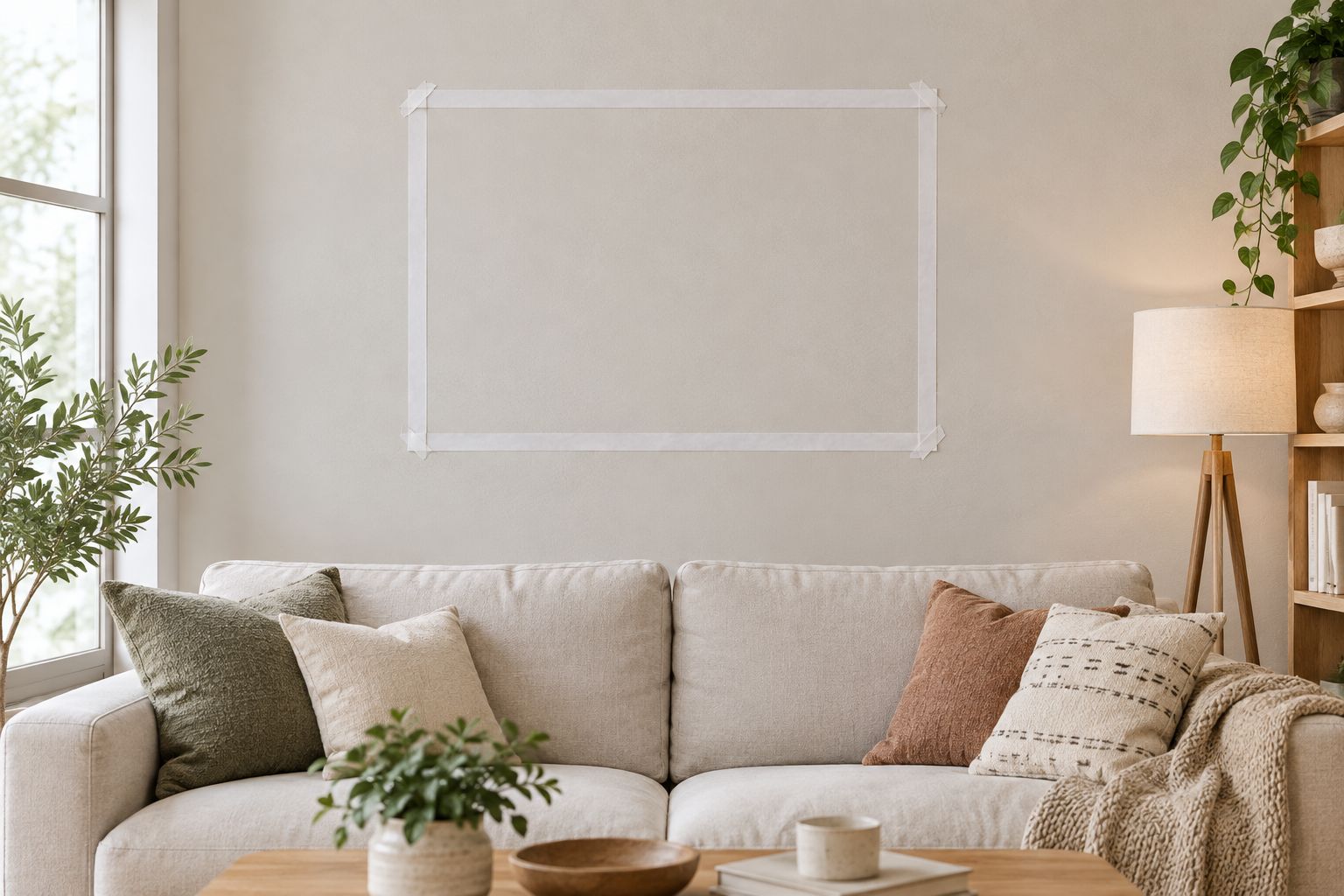
- Compare the outline with the furniture and obstructions. Then reproduce the outside footprint on the actual wall with removable markers suitable for that surface.
Expected result: You have a proportional planning diagram and a physical outline checked on the wall. The numbers describe your intended arrangement, not an assumed product specification.
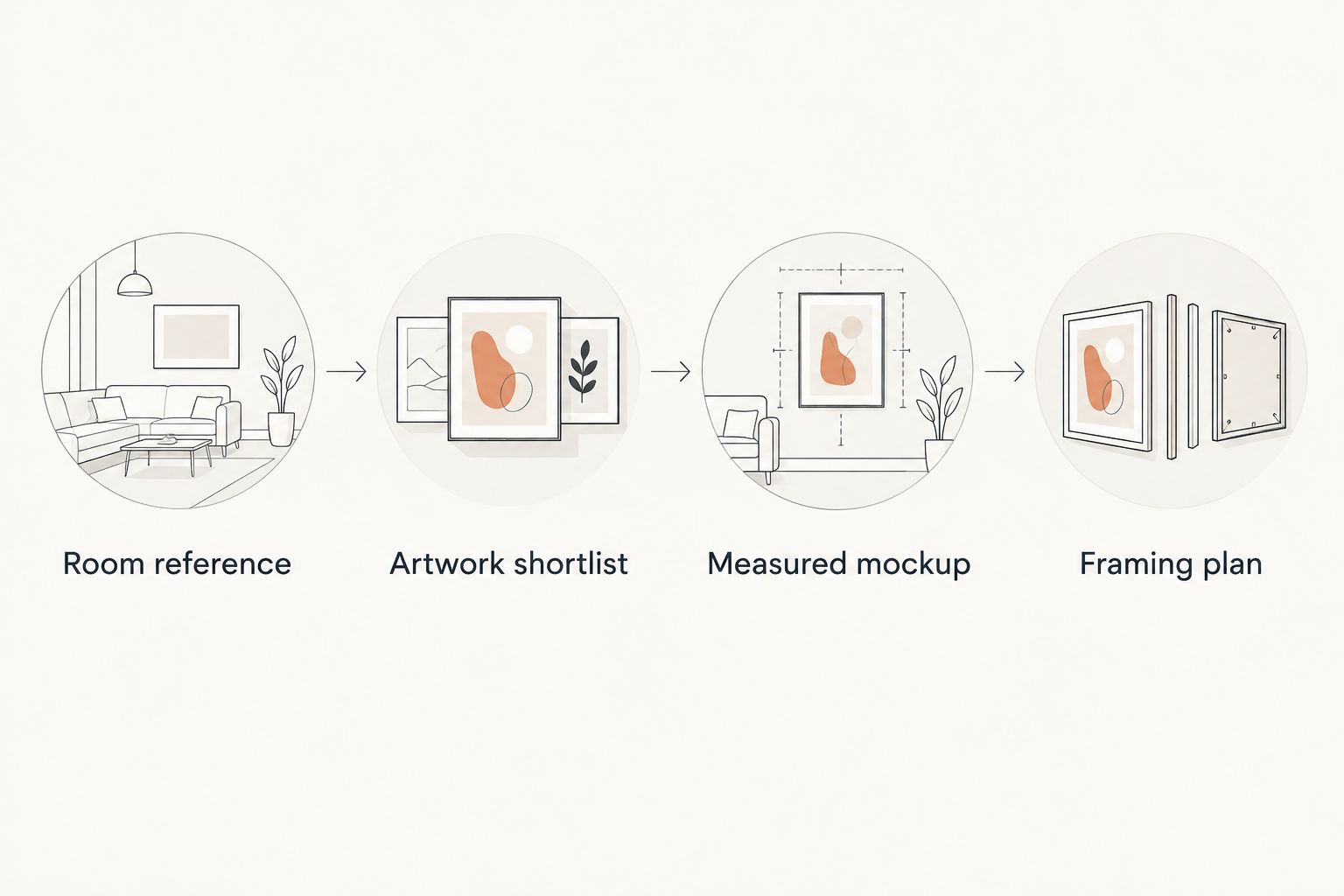
The workflow is sequential: Room reference, Artwork shortlist, Measured mockup, and Framing plan. Approve each stage before changing the next one; otherwise, an attractive frame can distract you from an unsuitable artwork footprint.
Check the outside edge, not just the image
The print size describes the artwork, while the outside frame size describes the object that occupies your wall. A mat and frame change that footprint. Obtain the final outside dimensions from the framing specification rather than estimating them from a decorative preview.
Step back to your usual viewing position. Check whether the outline conflicts with a lamp, disappears behind a chair, or sits where a door opens. A room photograph records one viewpoint; the physical check tests how you actually use the space.
Export reference and order handoff
- Add a final specification page with the selected artwork title, product reference, intended print dimensions, orientation, and framing notes. Mark unresolved details explicitly rather than presenting them as decisions.
- Label the design Wall art reference 2026. Include a note that the mockup is for layout and is not a print-ready artwork file.
- Select Share, then Download. Choose PNG for an image reference or PDF Standard for a document containing your reference pages.
- Open the downloaded file and inspect the text, artwork proportions, and page selection. Confirm that the source references remain readable.
- Return to the artwork's product page to confirm the format and dimensions you intend to order. Confirm whether framing is part of that selection or requires a separate arrangement.
- Give the final reference and measurements to the person handling framing or installation. Use the original purchased artwork—not the exported collage—as the artwork source.
Expected result: The exported board explains your decision, while the product selection and framing specification govern the physical result.
Keep approval and purchasing separate. An attractive Canva preview does not confirm a store option, mat opening, mounting method, or installation requirement. For Barksdale Fine Art wall art, check the selected product's details before turning a proposed footprint into an order.
Update the board when the room changes
Reuse the same workflow whenever furniture, wall color, or the intended artwork location changes. This is a manual review process, not a trigger that automatically updates a shopping cart.
- Duplicate the relevant page and label the new version Room update 2026. Preserve the approved version for comparison.
- Replace the room photograph and update any changed measurements. Do not carry an old wall width into a new location.
- Keep the artwork reference unchanged at first. This isolates the effect of the room change instead of changing everything simultaneously.
- Recheck the outside frame footprint on the real wall. If the print no longer works, reopen the shortlist and repeat the comparison.
Expected result: You can explain what changed and why the previous artwork decision still works—or why it needs replacing.
For a gallery wall, treat the complete arrangement as one outside footprint before inspecting individual frames. Record the gaps and frame dimensions separately. A collection that looks balanced in a collage still needs a measured installation plan.
Troubleshooting
- The art fits the board but feels wrong on the wall. The board lacks a reliable scale or uses an angled photograph. Rebuild the proportional outline and check it physically before changing the artwork.
- The artwork loses an important detail. A frame-shaped placeholder has forced a crop. Restore the original proportions and compare them with the intended print and mat opening.
- The exported image looks soft. A small reference image has been enlarged. Keep it as a selection reference; obtain the actual artwork through the separate purchase process rather than printing the thumbnail.
- The colors differ between screens and the room. Screen settings and lighting affect appearance. Review physical paint and fabric samples in the room; do not use the Canva board as a color guarantee.
- The framer cannot identify the intended result. The handoff mixes print dimensions with outside frame dimensions. Separate those fields and identify unresolved mat or frame choices before proceeding.
Customize your workflow
Add a decision column for approved, rejected, and unresolved candidates. Write the reason for each rejection: wrong proportions, unsuitable subject, competing lines, or an outside footprint that conflicts with the room.
Keep that record specific. A note saying too busy is less useful than a note saying the architectural lines compete with the patterned curtains. Specific reasons prevent you from reconsidering the same unsuitable image later.
For shared home or office decisions, export the same reference for every reviewer. Ask reviewers to assess composition and placement separately; agreement on the subject does not establish agreement on the size.
FAQ
How do I make a Canva mood board for wall art?
Create a blank design, upload a room photograph and permitted artwork references, and label each candidate. Build a separate measured mockup before deciding on the print and frame.
Can Canva send my mood board directly to a fine-art order?
This workflow uses a separate product selection and purchase step. Export the Canva board as a reference, then confirm the artwork and its physical specifications on the product page.
Can I print the artwork from my Canva mood board?
Do not use a product thumbnail or mood board export as a substitute for the original artwork. Purchase the intended print or obtain an authorized print-ready file through the appropriate source.
How do I show the right wall art size in Canva?
Use a measured wall outline and a consistent drawing scale. Include the outside frame dimensions, then verify the footprint on the actual wall.
Should I crop an artwork to fit my frame?
Preserve the original composition while selecting the artwork. Check the print proportions and mat opening before accepting any crop that removes image content.
Is Barksdale Fine Art suitable for a home office mood board?
Barksdale Fine Art sells photography and digital art prints to home and office decor buyers. Compare an individual artwork with your office photograph and confirm its dimensions rather than choosing by category alone.
Should I export my wall art mood board as PNG or PDF?
Use PNG for an image reference and PDF Standard for a document containing your reference pages. Neither export replaces the original artwork or the framing specification.
One last thing
Save a version with the artwork hidden. Review the empty frame outline against the furniture and wall before revealing the image again. If the footprint only feels acceptable when an appealing photograph distracts you, revisit the dimensions before ordering.