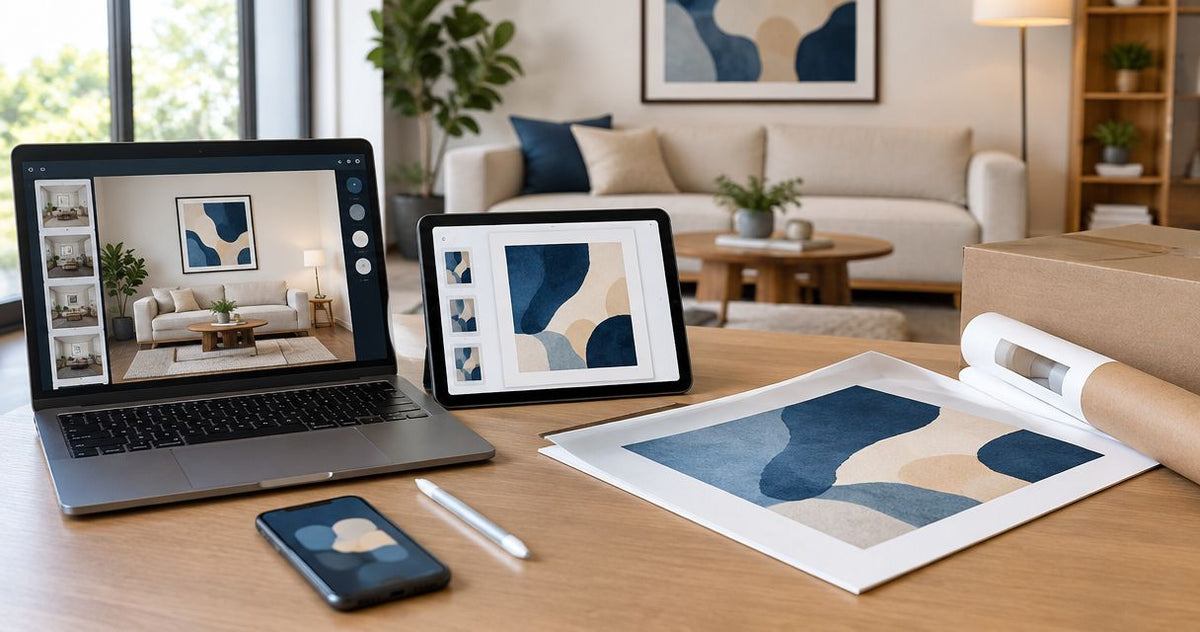
How to connect Instagram inspiration to your art order
Instead of manually hunting through Instagram posts whenever you shop for art, build a saved collection, turn its recurring details into a room brief, and use that brief to check your order. This Instagram inspiration wall art workflow connects your references to a purchase through a practical checklist—not an automatic account integration.
- Barksdale Fine Art wall art suits home and office buyers seeking D. Lawrence Barksdale’s photography and digital art prints.
- Turn Instagram inspiration wall art into a room brief before comparing fine art photography prints.
- Save references for their palette, composition, and mood—not as files to reproduce.
- Check the exact artwork, selected dimensions, and room fit before submitting your order.
Why this matters
An Instagram room photograph bundles together furniture, lighting, styling, and artwork. You need to separate the part you like from the surrounding room before choosing a print. Otherwise, you can buy the right subject and still get the wrong visual effect.
Use Instagram to define your preferences; use the product page to define your order. Barksdale Fine Art sells D. Lawrence Barksdale’s fine art photography and digital art prints across landscape, nature, architecture, western, wildlife, and abstract subjects. Those categories give you a starting point, but your actual wall determines the final selection.
For a 2026 room project, keep the workflow in one place: saved references, room measurements, candidate artwork, and the final selection. The benefit is traceability. The limitation is that you still need to make and verify each decision yourself.
Before you start
- Access and materials: Have access to Instagram, a browser for product pages, a notes document, a measuring tape, and a photograph of your wall. Instagram collections organize references; your notes document connects them to buying decisions.
- Room information: Record the usable wall width and height in inches, nearby furniture dimensions, and anything that interrupts placement. Include switches, shelves, door swings, and existing wall fixtures.
- The gotcha: A saved Instagram post is neither a print-ready artwork file nor permission to reproduce someone else’s image. Use it as a visual reference. Saving a post also does not send its details into an art-store order.
Keep references to other creators inside your planning process. Choose the actual artwork from its own product page, rather than assuming the art visible in an inspiration post belongs to the store you are browsing.
Your Instagram reference collection
- Save useful posts. Use the bookmark control on posts that show a direction you want to explore. Where Instagram displays the text action, select Save. Focus on the artwork’s relationship to the room, not just an attractive photograph.
- Group by destination. Open Saved from your profile menu and organize references into a collection for the room. A name such as Living Room Art 2026 keeps a current project distinct from general inspiration.
- Start with 3 reference posts. Treat this as a working limit, not a design rule. Pick references that explain different parts of your preference: palette, composition, and atmosphere.
- Annotate each reference. In your notes document, record what you want to carry forward and what you do not. For example: muted woodland colors, open space around the subject, and no interest in copying the pictured furniture.
- Keep context attached. Note the creator’s account and enough identifying detail to find the post again. Do not rely on remembering which saved image supplied a particular idea.
Expected result: You have a room-specific collection and a short explanation of why each reference belongs there. You can describe your direction without saying only that you want the room to look like Instagram.
A reference is useful when it answers a question. If a post contributes nothing beyond being attractive, leave it in your general collection rather than letting it influence this order.
Your room brief
- Name the subject. Write the subject you actually want: forest stream, mountain landscape, architectural lines, wildlife, or abstraction. Keep subject separate from mood; a mountain photograph does not automatically create the same atmosphere as your reference.
- Describe the palette. Use plain words such as warm browns, cool grays, muted greens, or high contrast. Identify colors already present in your room rather than trying to match every shade in a filtered post.
- Describe the composition. Record whether the references emphasize horizontal movement, vertical forms, a central subject, or open space. This makes your search more precise than a broad style label alone.
- Measure the placement. Write usable width and height in inches. Measure around obstructions, and distinguish the whole wall from the area where artwork can actually sit.
- Write the room brief. Combine those observations into a short note. A useful format is: subject, palette, composition, placement, and details to avoid.
Expected result: You have a buying brief that another person can understand without opening Instagram. Your 2026 brief should describe your room as it exists, not a room you have only saved online.
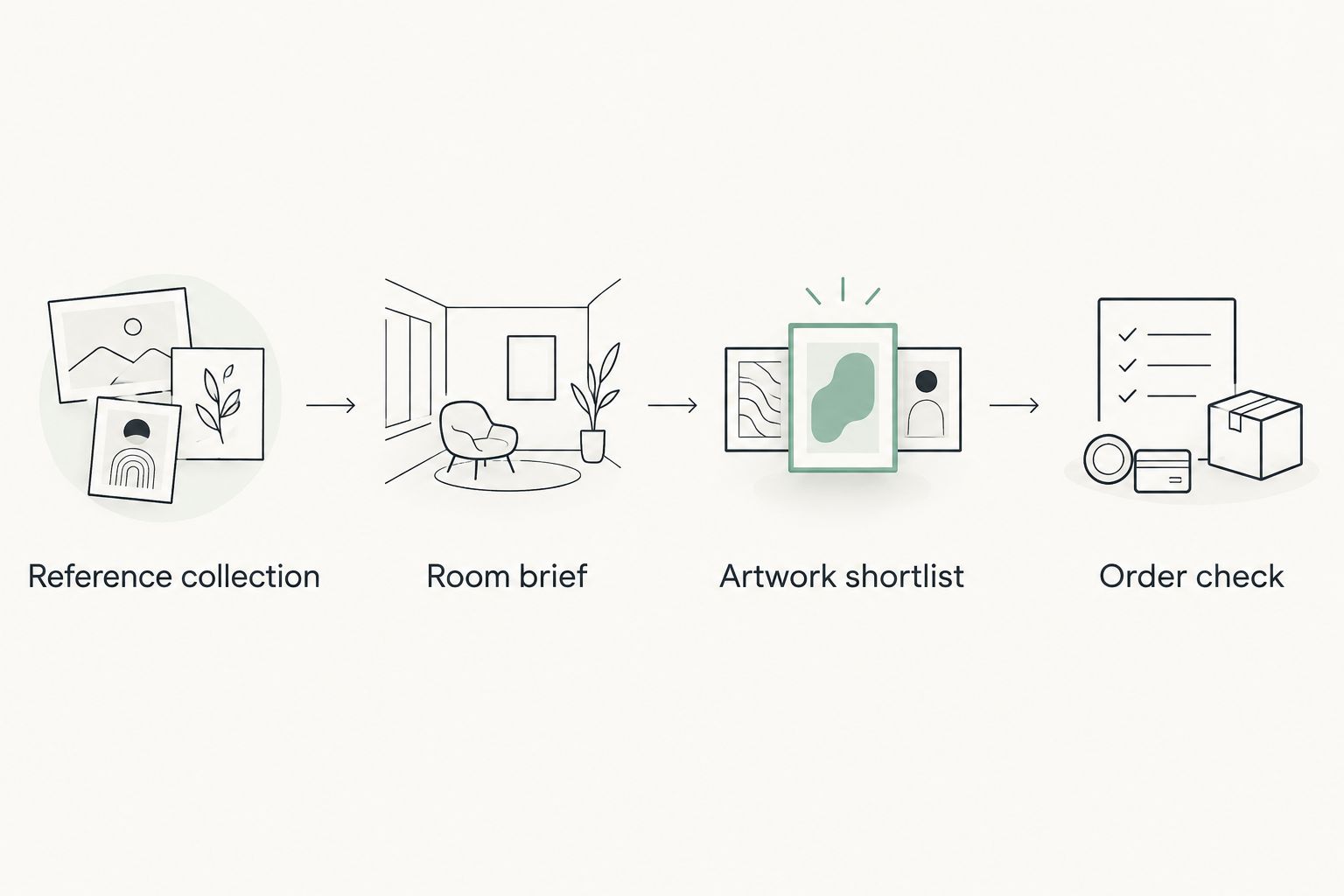
For example, a woodland reference can translate into a request for natural subject matter, restrained color, and flowing composition. That does not require buying the same trees, furniture, or accessories pictured in the post.
The room brief is the filter. If an attractive candidate conflicts with your placement or visual priorities, remove it from this project rather than rewriting the brief to justify it.
Your artwork shortlist
- Search by the brief’s subject. Browse Barksdale Fine Art photography and digital art prints using the subject you identified. Then inspect individual images for the palette and composition you want.
- Compare 2 candidates at a time. This is a recommended working limit, not a claim about shopping behavior. Record the exact title and product-page address for each candidate in your notes.
- Write a reason to choose and a reason to reject. A subject match is only the beginning. Consider whether the image has the amount of detail, contrast, and visual movement you want to live with.
- Inspect the actual artwork. Look beyond the title. A title identifies the subject but does not establish how the artwork will relate to your paint, furniture, or lighting.
The following comparison shows how to separate two nature directions. The descriptions identify subjects from the supplied product information; they do not assert dimensions, materials, or framing options.
| Artwork | Best for | Reason to shortlist | Reason to reject |
|---|---|---|---|
| Mountain Stream Photography – Serene Forest Landscape Art With Rustic Woodland Decor | A forest-stream reference | Its forest and stream subject matches a woodland brief | Reject if your brief calls for architecture or an open mountain subject |
| Yosemite Half Dome Print – Winter Landscape Art — Scenic Mountain Photography | A winter-mountain reference | Its Yosemite winter subject matches a mountain brief | Reject if winter scenery conflicts with the atmosphere you want |
Expected result: Your shortlist contains a documented subject match and a clear rejection condition for each candidate. You are choosing between artworks, not between unrelated room photographs.
The strength of this approach is access to named fine art subjects that you can compare against your references. Its limitation is equally clear: a subject match alone cannot confirm scale, color appearance, or the finished relationship to your wall.
Your order check
- Return to the exact product page. Verify the title and image against your shortlist. Similar subjects are not interchangeable when you are trying to preserve a particular composition.
- Read the displayed choices. Inspect the dimensions and any other options shown for that artwork. Do not infer materials, framing, or included components from an inspiration photograph.
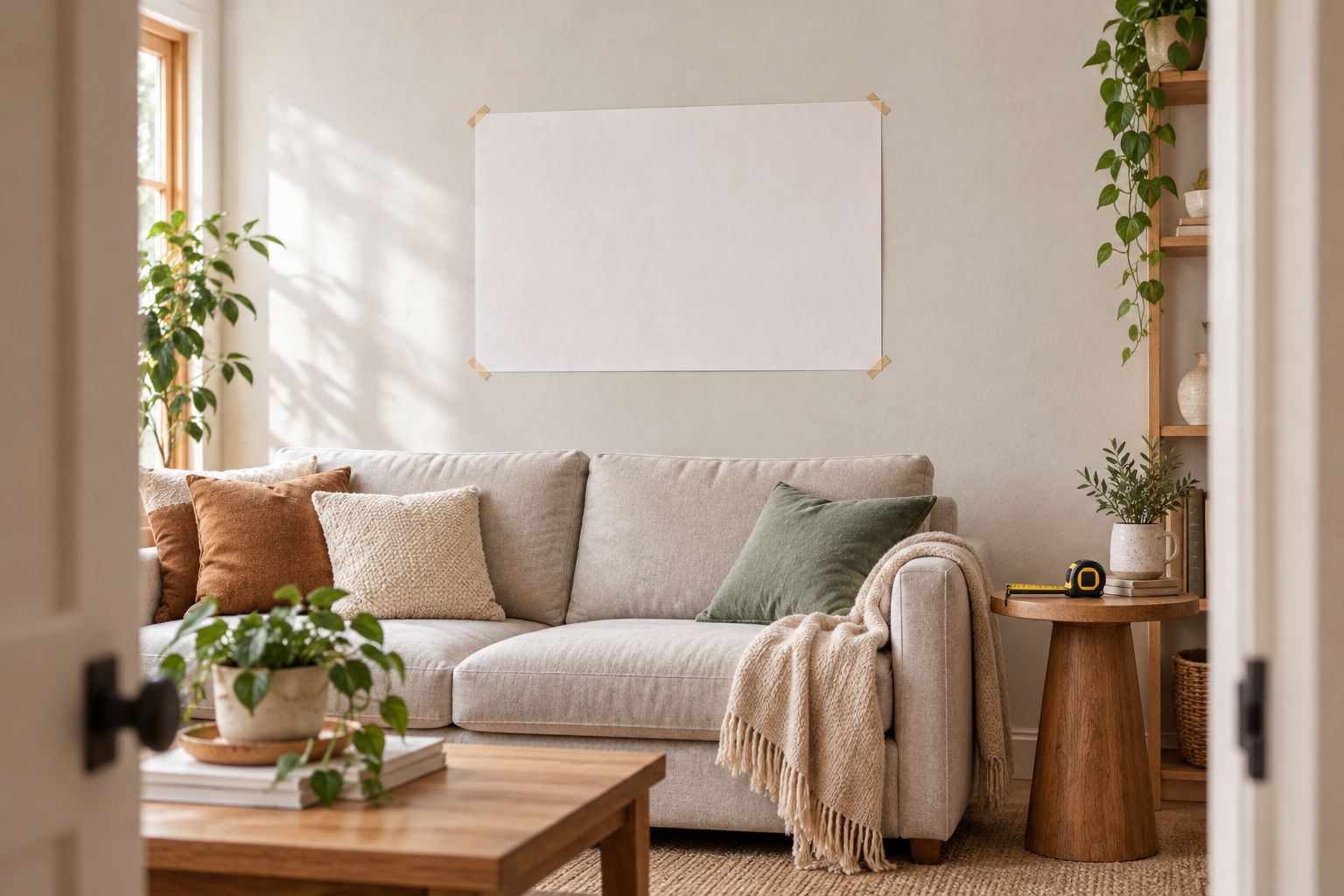
- Map the selected dimensions onto the wall. Use removable paper outlines sized to the proposed footprint. If a frame or other component affects the outside dimensions, establish that footprint separately before relying on the outline.
- Review from normal viewing positions. Check the wall from the doorway, seating area, or desk where you will normally see it. A close-up view is not a substitute for the room view.
- Inspect the order summary. Match the artwork title and selected options to your notes before submitting. Use the labels currently displayed by the store; do not assume Instagram has supplied any order information.
Expected result: Your intended artwork and selected options agree with your room brief and the order summary. This final 2026 check prevents an old screenshot or earlier shortlist from becoming the source of truth.
A paper outline verifies placement, not image color or print quality. Keep those checks separate so a convincing layout does not distract you from unanswered product questions.
Update the shortlist when your inspiration changes
A second workflow applies when you discover a new reference before ordering. Update the brief first, then reassess the artwork. Adding every new saved post to the shortlist creates a moving target.
- Identify the change: Does the new post change your preferred subject, palette, composition, or placement?
- Edit the relevant note: Replace the old requirement only if the new direction fits your actual room better.
- Recheck the candidates: Keep artwork that still matches. Remove artwork that no longer meets the brief.
- Repeat the order check: If the selected artwork or dimensions change, review the placement and order summary again.
For a 2026 office refresh, a new architectural reference might change the desired subject without changing the measured wall area. That means revisiting the imagery—not automatically changing every other decision.
This update workflow is best for an unfinished purchase. After you have submitted an order, refer to the store’s stated procedures rather than assuming a changed Instagram collection updates the transaction.
Troubleshooting
Your saved references point in different directions
Separate references by the quality they contribute. One can define color while another defines composition. If they contradict each other on the same requirement, choose the direction that fits your room and remove the competing reference from the active brief.
The candidate looks right on your phone but wrong in the room
Return to the actual product image and your room photograph. Check whether the mismatch concerns subject, contrast, scale, or surrounding colors. Screen settings and edited inspiration photographs complicate exact color comparisons, so do not treat a phone image as a physical color sample.
The inspiration artwork’s proportions do not match the product
Compare the proportions independently of the subject. Do not assume a screenshot can be stretched or cropped into the selected print format. Review the displayed product options and image; if the composition no longer fits your brief, choose another candidate.
A reference post disappears or becomes inaccessible
Use the descriptive notes you already recorded. A saved reference depends on the original post remaining accessible to you. Your room brief should retain the useful preferences even when the post itself is no longer available.
The order selection differs from your planning notes
Stop before submitting and reconcile the difference. Check the exact artwork, dimensions, and other selected options against the current product page. The current selection—not an earlier screenshot—defines what you are ordering.
Customize your workflow
Expand the process by creating a separate brief for each wall or room. Keep shared preferences, such as a recurring subject or palette, but measure every destination independently.
For shared decisions, send the brief and exact candidate titles to the other person. Ask which candidate meets the agreed criteria rather than asking which Instagram room they prefer. This keeps feedback attached to the purchase.
Barksdale Fine Art is a fit for buyers seeking the stated photography and digital art subjects; it is not a substitute for checking their own room constraints. Preserve that distinction as you expand a 2026 project across a home or office.
FAQ
How do I turn Instagram inspiration into wall art I can order?
Save relevant posts, write a room brief, compare actual artwork, and verify the selected options before ordering. Instagram supplies the visual references; the product page supplies the purchase details.
Does saving an Instagram post automatically create an art order?
No, saving an Instagram post does not create an order. This workflow uses a reference collection and planning notes rather than an automatic connection to checkout.
What is Barksdale Fine Art best for in this workflow?
Barksdale Fine Art suits home and office buyers seeking D. Lawrence Barksdale’s fine art photography and digital art prints. Compare its stated subjects against your room brief, then verify the individual product details.
Can I print artwork from someone else’s Instagram post?
Saving a post does not grant permission to reproduce its artwork. Use the post as inspiration and obtain the actual artwork through an authorized source.
How do I choose the right dimensions from an Instagram room photo?
Measure your own wall rather than estimating dimensions from the Instagram photo. Check the selected product dimensions and test the proposed footprint in your room.
What if my Instagram collection changes before I order?
Update the room brief before changing your shortlist. Recheck subject, palette, composition, and placement, then verify the final order selection again.
Can an Instagram screenshot guarantee the print’s color?
No, an Instagram screenshot cannot guarantee the physical print’s color. Editing, lighting, and screen settings affect the reference, so use it for direction rather than an exact color specification.
One last thing
Choose the artwork that still makes sense when you stop looking at the reference room. Close Instagram, read your brief, and look at the candidate beside a photograph of your own wall.
If you can explain the choice through subject, composition, and placement, your inspiration has become a usable decision. If the explanation depends on copying the entire saved room, revisit the brief before ordering.